
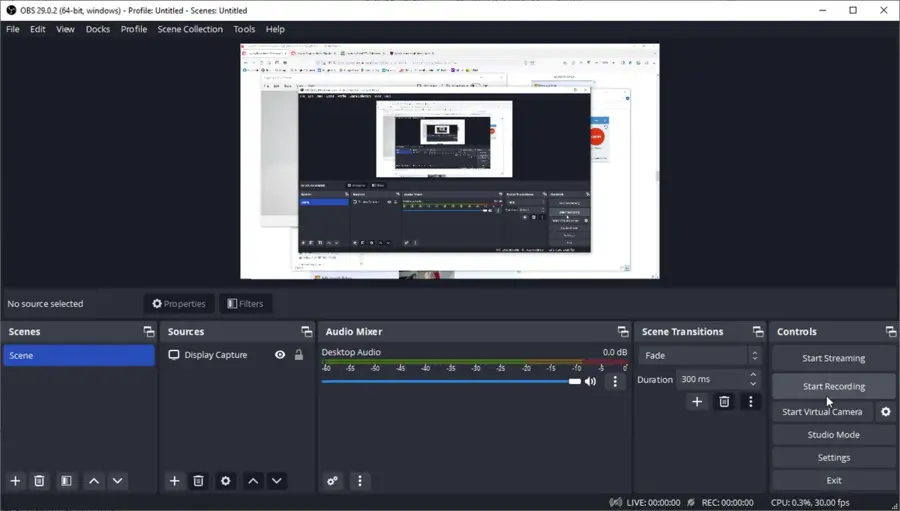
Screen recording is a rather important device in the modern digital era that has been utilized by students, professionals, gamers, and content creators. Playing games, demonstrating products, making tutorials, and having online conferences, high-quality and smooth performance are guaranteed with the best screen recording software. The appropriate software may be the key by providing with an enormous set of capabilities such as HD recording, editing options, and audio synchronization, but being intuitive and effective.
The problem is that there are too many different methods of screen recording, and it is hard to select the best one. To assist you in making the right decision, this paper examines some of the best screen recorders, their outstanding features as well as suggestions on how to select the best one to suit you.
What Is Screen Recording Software?
Screen recording software is a computer tool that records video on your computer or phone display. It enables you to capture any activity on your screen such as system audio and voice narration. They are commonly used in the process of creating tutorials, recording webinars, live playing games, and presentations.
The current screen recording software goes further than a mere recording – it usually features an in-built video editing program, built-in webcams and even direct-sharing integrated into software such as YouTube, Zoom and Twitch.
Top Picks for the Best Screen Recording Software
The following are some of the most popular screen recording software in the market with a distinct set of benefits in different applications.
OBS Studio (Open Broadcaster Software)
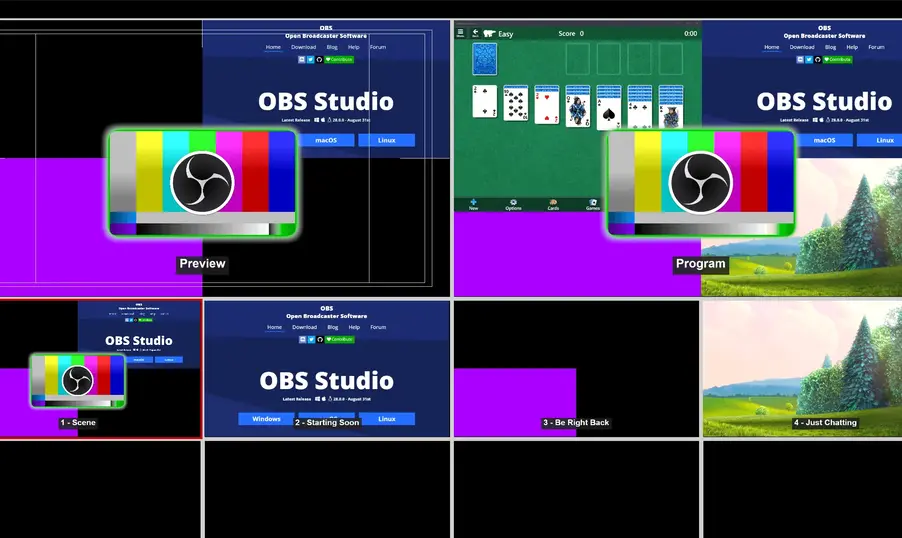
Best for: Professionals, streamers, and advanced users
OBS Studio is a free and open-source recording and streaming platform that offers advanced customization options. It supports HD recording, multiple audio sources, and live streaming integration with platforms like YouTube and Twitch.
Key Features:
- Unlimited recording time
- Scene transitions and audio filters
- Supports webcam and multiple displays
- Completely free with no watermark
OBS Studio may have a learning curve, but once mastered, it becomes one of the most powerful tools for content creation.
Camtasia
Best for: Educators, professionals, and tutorial creators
Camtasia is a premium all-in-one screen recorder and video editor. It allows you to record your screen and webcam simultaneously and provides a robust built-in editing suite.
Key Features:
- High-quality screen capture
- Drag-and-drop video editing
- Pre-built templates and animations
- Interactive quizzes and effects
Its user-friendly interface makes it one of the best screen recording software for those who want polished, professional videos without needing third-party editing tools.
Bandicam
Best for: Gamers and performance-heavy users
Bandicam is a lightweight recorder known for its exceptional performance and ability to record gameplay in 4K UHD. It offers multiple recording modes, including game, screen, and device capture.
Key Features:
- 4K UHD and 120 FPS support
- Real-time drawing and webcam overlay
- Hardware acceleration for faster performance
- Low CPU usage
If you’re looking for the best screen recording software for gaming or high-quality tutorials, Bandicam is an excellent choice.
Loom
Best for: Remote teams, educators, and businesses
Loom focuses on speed and simplicity. It lets users quickly record their screen, webcam, and microphone, then share videos instantly with a link.
Key Features:
- Instant video sharing
- Cloud storage and collaboration tools
- Easy-to-use interface
- Available for Windows, Mac, and Chrome
Loom is perfect for work-from-home professionals who want to record quick updates or presentations without complex settings.
ShareX
Best for: Advanced users looking for customization
ShareX is another free and open-source software that’s packed with features. It allows users to record, edit, and even automate tasks like screenshot capturing and video uploads.
Key Features:
- Custom recording regions
- GIF creation
- Direct upload to cloud platforms
- Completely free, with no watermarks
It’s ideal for tech-savvy users who want full control over their recording and editing processes.
Screencast-O-Matic
Best for: Beginners and educators
Screencast-O-Matic offers a simple and intuitive interface, making it ideal for beginners. It supports screen and webcam recording, quick edits, and direct uploads to YouTube.
Key Features:
- Built-in video editor
- Scripted recordings
- Stock music and captions
- Cloud storage and easy sharing
With its affordability and ease of use, it’s one of the best screen recording software for online teachers and casual users.
How to Choose the Right Screen Recording Software
When selecting a screen recorder, consider the following factors:
- Purpose: Determine whether you need it for gaming, teaching, or business presentations.
- System Compatibility: Make sure it works smoothly with your operating system.
- Editing Features: Look for built-in editors to save time.
- Output Quality: Choose software that supports HD or 4K recording.
- Ease of Use: A user-friendly interface ensures a smooth experience.
Conclusion
Whether it is a teacher who wants to create a tutorial, a gamer who wants to make highlights or a business person who creates a presentation, the appropriate screen recording software can boost the productivity and the quality of the content. There are advantages of such tools as OBS Studio, Camtasia, Bandicam, and Loom – advanced editing, sharing on the cloud, etc.
The trick is to get software, which fits your requirements, with great-quality video, and one that fits your workflow. Now you can easily record, edit and share your screen with the right screen recorder, and it will turn your normal digital activity into a visual piece of interest.
FAQs
What is the best screen recording software for beginners?
Screencast-O-Matic and Loom are great for beginners due to their simple interfaces and easy sharing options.
Is there any free screen recording software without watermarks?
Yes. OBS Studio and ShareX are free, open-source tools that record without watermarks or time limits.
Which screen recorder is best for gaming?
Bandicam and OBS Studio are the top choices for gamers because they offer high performance and minimal lag.
Can I record both screen and webcam at the same time?
Yes, most advanced tools like Camtasia, Loom, and Bandicam support simultaneous screen and webcam recording.
Do screen recorders affect PC performance?
Some may, especially if recording in high resolution. Choosing optimized software like Bandicam or OBS Studio helps minimize CPU usage.
